We have compiled a list of manufacturers, distributors, product information, reference prices, and rankings for Modeling software.
ipros is IPROS GMS IPROS One of the largest technical database sites in Japan that collects information on.

Modeling software Product List and Ranking from 33 Manufacturers, Suppliers and Companies | IPROS GMS

Last Updated: Aggregation Period:Apr 15, 2026~May 12, 2026
This ranking is based on the number of page views on our site.

Modeling software Manufacturer, Suppliers and Company Rankings

Last Updated: Aggregation Period:Apr 15, 2026~May 12, 2026
This ranking is based on the number of page views on our site.

  1. ARMONICOS CO., LTD. Shizuoka//CAD/CAM
  2. ジェピコ 本社、大阪支店、名古屋支店、練馬支店 Tokyo//Industrial Electrical Equipment
  3. null/null
  4. デジタルデザインサービス 大阪本社 Osaka//CAD/CAM
  5. 5 null/null

Modeling software Product ranking

Last Updated: Aggregation Period:Apr 15, 2026~May 12, 2026
This ranking is based on the number of page views on our site.

  1. Planetary Exploration Sensor Verification High-Precision Simulation Environment 'PANGU' ジェピコ 本社、大阪支店、名古屋支店、練馬支店
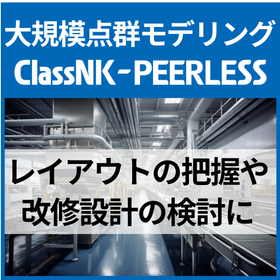
  2. 大規模点群モデリングソフト『ClassNK-PEERLESS』 ARMONICOS CO., LTD.
  3. [Case Study of Large-Scale Point Cloud Modeling Software] Nikken Lease Co., Ltd. ARMONICOS CO., LTD.
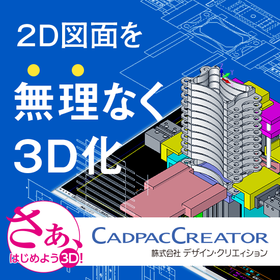
  4. 4 Seamless operability from 2D wireframe drawing to 3D modeling.
  5. 5 Creo Elements/Direct Modeling NSW サービスソリューション事業本部

Modeling software Product List

1~30 item / All 106 items

Displayed results

3D Surface Modeler "Rhinoceros"

Design, planning, manufacturing... the epitome of a surface modeler!

Rhinoceros is a surface modeling software that can manipulate freeform surfaces in fields such as design and architecture.

  • 3D CAD
  • Other CAD
  • Modeler
  • Modeling software

Added to bookmarks

Bookmarks list

Bookmark has been removed

Bookmarks list

You can't add any more bookmarks

By registering as a member, you can increase the number of bookmarks you can save and organize them with labels.

Free membership registration

FE modeling "Altair SimLab"

Equipped with direct CAD import and robust mesh creation capabilities, it supports the automation of the CAE process!

"SimLab" is a feature-based modeler that allows for the agile manipulation of large-scale models while quickly creating high-quality finite element models. It is equipped with advanced automatic shape recognition capabilities and automatic optimization functions for mesh arrangement and element quality. Since it can generate high-quality meshes in one go, there is no need to re-mesh and repeatedly input calculations, significantly improving analysis accuracy. 【Features】 ■ High analysis accuracy ■ Diverse mesh shape modification and creation functions ■ Automation of modeling ■ Direct access to CAD and automatic healing ■ Knowledge sharing using templates/process automation ■ Automatic/manual hexahedral mesh and hybrid mesh creation functions *For more details, please refer to the related links or feel free to contact us.

  • Modeler
  • Modeling software

Added to bookmarks

Bookmarks list

Bookmark has been removed

Bookmarks list

You can't add any more bookmarks

By registering as a member, you can increase the number of bookmarks you can save and organize them with labels.

Free membership registration

SOLIDWORKS Modeling Techniques 1

Modeling with SOLIDWORKS Using Excel Data: Significantly Reduce Modeling Time with 8 Steps!

Have you ever felt that it would be easier to create a model with modified parameters while keeping the same shape? By linking the values in the Excel data to the dimensions added in the design table, you can reflect the values from the Excel data in the model. This is very effective when there are many variations, so please make use of it. 【Modeling Steps】 1. Add the dimensions to be changed in the design table. 2. Create an Excel data sheet (calculation sheet) that lists the values of the dimensions to be changed. 3. Open the design table with "Edit Table in New Window" and enter "=" in the cell where the value to be changed is listed. 4. Switch to the Excel data sheet (calculation sheet), select the cell where the value to be changed is listed, and press the Enter key. *For more details, please refer to the PDF materials or feel free to contact us.

  • 3D CAD
  • Rendering software
  • Other CAD related software
  • Modeling software

Added to bookmarks

Bookmarks list

Bookmark has been removed

Bookmarks list

You can't add any more bookmarks

By registering as a member, you can increase the number of bookmarks you can save and organize them with labels.

Free membership registration

Explanatory Material: "From 2D CAD Design to the World of 3D CAD Design"

White paper available now!! A must-see for designers considering 3D design! What are the benefits of designing with SOLIDWORKS?

In a digital society where many manufacturers are rapidly transitioning from 2D CAD to 3D CAD, designers are seeking to improve design and enhance communication through 3D modeling. From websites to rapid prototyping, customers, designers, and engineers all rely on the latest 3D modeling tools. This document carefully explains the benefits of designing with SOLIDWORKS for mechanical designers and how they can utilize existing 2D data after transitioning to 3D. *For more details, please refer to the document. Feel free to contact us with any inquiries.* \Free SOLIDWORKS trial seminar ongoing!/ ▼Please apply through the link below▼

  • 3D CAD
  • Other CAD
  • Other CAD related software
  • Modeling software

Added to bookmarks

Bookmarks list

Bookmark has been removed

Bookmarks list

You can't add any more bookmarks

By registering as a member, you can increase the number of bookmarks you can save and organize them with labels.

Free membership registration

Explanatory Document "To Enhance the Profitability of Oil and Gas Exploration and Production Business"

The necessity of an integrated 3D design and engineering platform.

In the current oil and gas industry, maintaining profitability has become increasingly difficult. With falling fuel prices and rising costs associated with offshore drilling and hydraulic fracturing, profits are being squeezed, making improvements in design efficiency and manufacturing efficiency essential for business. For companies developing various equipment and materials for oil and gas exploration, drilling, production, processing, distribution, and management, saving time, minimizing costs, and enhancing quality are crucial for maintaining and further improving profitability. This document clarifies the challenges in the increasingly competitive oil and gas market and explains how SOLIDWORKS contributes to overcoming market conditions and achieving success, including case studies. *For more details, please refer to the document. Feel free to contact us with any inquiries.*

  • 3D CAD
  • Other CAD
  • Other CAD related software
  • Modeling software

Added to bookmarks

Bookmarks list

Bookmark has been removed

Bookmarks list

You can't add any more bookmarks

By registering as a member, you can increase the number of bookmarks you can save and organize them with labels.

Free membership registration

Rapid problem search with check plots

Quick problem search with check plots

SolidWorks software supports rapid progress throughout the entire design cycle. The check plot feature allows for easy, quick, and efficient narrowing down of problematic areas before conducting detailed analysis, streamlining the entire design verification process. *For more details, please refer to the materials. Feel free to contact us as well.*

  • 3D CAD
  • Other CAD
  • Other CAD related software
  • Modeling software

Added to bookmarks

Bookmarks list

Bookmark has been removed

Bookmarks list

You can't add any more bookmarks

By registering as a member, you can increase the number of bookmarks you can save and organize them with labels.

Free membership registration

White Paper Presentation!! "Understanding of Fusion"

White Paper Presentation!! "Understanding of Integration"

SolidWorks software helps streamline the design cycle more intelligently. With quickly and accurately configurable virtual assemblies, customers can focus on the overall behavior of the design object without spending valuable time on repetitive modeling of large numbers of pins, bolts, springs, welds, and more. *For more details, please refer to the materials. Feel free to contact us as well.*

  • 3D CAD
  • Other CAD
  • Other CAD related software
  • Modeling software

Added to bookmarks

Bookmarks list

Bookmark has been removed

Bookmarks list

You can't add any more bookmarks

By registering as a member, you can increase the number of bookmarks you can save and organize them with labels.

Free membership registration

SOLIDWORKS2019 PlasticsDatasheet

Latest data sheet now available!! "SOLIDWORKS 2019 Plastics Data Sheet"

Companies that design plastic parts and injection molding molds can anticipate and avoid manufacturing issues in the early stages of part and mold design by using SOLIDWORKS Plastics products. This not only eliminates the costly reworking of molds and improves part quality but also shortens the time to market. *For more details, please refer to the materials. Feel free to contact us as well. \Free SOLIDWORKS trial seminar ongoing!/ ▼Please apply from the link below▼

  • 3D CAD
  • 2D CAD machine
  • Other CAD related software
  • Modeling software

Added to bookmarks

Bookmarks list

Bookmark has been removed

Bookmarks list

You can't add any more bookmarks

By registering as a member, you can increase the number of bookmarks you can save and organize them with labels.

Free membership registration

Form Z: Functions Suitable for Industrial Design

Exactly the new Form Z!

We offer a wide range of tools that support curve and surface design, meeting the needs of industrial designers. We flexibly accommodate diverse designs, from automobiles to everyday items, furniture, and crafts.

  • Rendering software
  • Modeling software

Added to bookmarks

Bookmarks list

Bookmark has been removed

Bookmarks list

You can't add any more bookmarks

By registering as a member, you can increase the number of bookmarks you can save and organize them with labels.

Free membership registration

Form Z Visualization

Visually express the designer's image in form.

In Form·Z RenderZone/Form·Z RadioZity, realistic CG screens can be created. Even if there are changes in design, materials, or colors, there is no need to switch between software for rendering.

  • Rendering software
  • Modeling software

Added to bookmarks

Bookmarks list

Bookmark has been removed

Bookmarks list

You can't add any more bookmarks

By registering as a member, you can increase the number of bookmarks you can save and organize them with labels.

Free membership registration

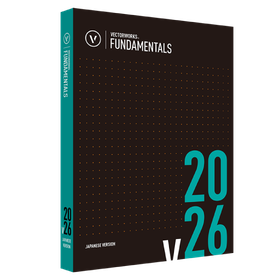
Vectorworks Fundamentals 2026

Standalone version lease monthly fee: 5,600 yen (excluding tax)

Introduction to Vectorworks 2026 Standalone Version Usage Model Can be differentiated by environment One license can be installed on two machines. Designers can differentiate usage based on the environment, such as using a desktop in the office and a portable machine for outings. *Only one machine can operate simultaneously. No license activation or procedures required The startup uses internet authentication. After the initial activation, it can be used for 90 days even when not connected to the network. *After the initial activation, if started in an environment connected to the network, authentication will be performed automatically.

  • 3D CAD
  • Modeling software

Added to bookmarks

Bookmarks list

Bookmark has been removed

Bookmarks list

You can't add any more bookmarks

By registering as a member, you can increase the number of bookmarks you can save and organize them with labels.

Free membership registration

Model-Wave Police Car

3D data can be sold and bought! Consignment sales are also possible.

It is a free download and sales site for 3D data such as architectural perspectives, vehicles, and lighting fixtures. Here are some examples of vehicles.

  • Patent/Copyright related services
  • Modeling software

Added to bookmarks

Bookmarks list

Bookmark has been removed

Bookmarks list

You can't add any more bookmarks

By registering as a member, you can increase the number of bookmarks you can save and organize them with labels.

Free membership registration

Model-Wave classic_bracketlump

3D data can be sold and bought! Consignment sales are also possible.

It is a free download and sales site for 3D data such as architectural perspectives, vehicles, and lighting fixtures. Here are some examples of vehicles.

  • Patent/Copyright related services
  • Modeling software

Added to bookmarks

Bookmarks list

Bookmark has been removed

Bookmarks list

You can't add any more bookmarks

By registering as a member, you can increase the number of bookmarks you can save and organize them with labels.

Free membership registration

Modeling of Power Systems and B-EMS [Simulink Example]

Constructed a B-EMS model for PV and batteries in MATLAB/Simulink. Visualized the power reduction effects.

Utilizing the excellent modeling and simulation capabilities of MATLAB/Simulink, we will construct a B-EMS model that combines PV (photovoltaic) and batteries. By conducting modeling that includes the bench environment within the factory, PCS, and grid power, we support efficient power management by visualizing the power reduction effects. Flexible modeling is possible using Simscape and Simscape Electrical, and the simulation period can accommodate a wide range from one day to several decades. Various parameters can be customized with M scripts, and the simulation results are displayed in an easy-to-understand plot. In addition to developing and providing Simulink models tailored to customer needs, we also accept improvements, extensions, and parameter adjustments for existing models.

  • Secondary Cells/Batteries
  • Other energy equipment
  • Contract Analysis
  • Modeling software

Added to bookmarks

Bookmarks list

Bookmark has been removed

Bookmarks list

You can't add any more bookmarks

By registering as a member, you can increase the number of bookmarks you can save and organize them with labels.

Free membership registration

Urban landscape modeling software "CityEngine"

Easily create townscapes with the "Get Map Data" feature! Various tutorials and samples are available.

"CityEngine" is an urban landscape modeling tool that allows for the efficient and rapid creation of large-scale townscapes through procedural methods. It has a wide range of applications, including TV commercials, movies, architecture, and urban planning. Modeling and mapping are conducted using a special language (rules) called CGA. It is easy to learn with abundant tutorials, and rule files and project data can be distributed in binary format. 【Features】 ■ Easy townscape creation with the "Get Map Data" function ■ Realization of 360° VR ■ Dynamic layout & parametric interface ■ Release of development kit (SDK) ■ Rule-based modeling *For more details, please refer to the PDF materials or feel free to contact us.

  • Virtual Reality Related
  • Image Processing Software
  • Modeling software

Added to bookmarks

Bookmarks list

Bookmark has been removed

Bookmarks list

You can't add any more bookmarks

By registering as a member, you can increase the number of bookmarks you can save and organize them with labels.

Free membership registration

SketchUp Studio

The top-tier series of SketchUp that comes with point cloud software and rendering software.

SketchUp Studio is the top-tier series best suited for applications in architecture, construction, civil engineering, plant management, and consulting. In addition to the features of the SketchUp Pro subscription, it includes the plugin software "Scan Essentials," which allows for the import and drawing of point cloud data in SketchUp, as well as point cloud synthesis and modeling based on point clouds. It also comes with "V-Ray for SketchUp," which enables realistic and photorealistic rendering. This valuable package allows users to import point cloud data obtained from 3D scanners or drones, combine it with models created in SketchUp, and create 3D models based on point cloud data, producing realistic perspectives using V-Ray. The cloud service "Trimble Connect" is also available with unlimited storage, allowing for group sharing and viewing of related drawings, documents, and photos for each project, accessible via browser, desktop app, or smartphone app.

  • Other CAD related software
  • Modeling software

Added to bookmarks

Bookmarks list

Bookmark has been removed

Bookmarks list

You can't add any more bookmarks

By registering as a member, you can increase the number of bookmarks you can save and organize them with labels.

Free membership registration

Modeling Software【PolyWorks|Modeler】

From concept to prototype creation in just a few days! Software that enables rapid modeling.

"PolyWorks|Modeler" is a reverse engineering software that enables interoperability between digitized polygon models and CAD/CAM applications. It creates optimal CAD elements (curves, surfaces, parametric sketches, geometric elements) from the polygon models of digitized measurements, providing a starting point for users to work with their professional CAD modeling solutions. 【Features】 ■ Ability to create polygon models of digitized parts in real-time ■ Surface modeling that generates freeform surfaces easy to handle in CAD ■ Solid modeling that creates solid CAD models from optimized geometric elements *For more details, please refer to the catalog or feel free to contact us.

  • Software (middle, driver, security, etc.)
  • Other Auto Parts
  • 3D measuring device
  • Modeling software

Added to bookmarks

Bookmarks list

Bookmark has been removed

Bookmarks list

You can't add any more bookmarks

By registering as a member, you can increase the number of bookmarks you can save and organize them with labels.

Free membership registration

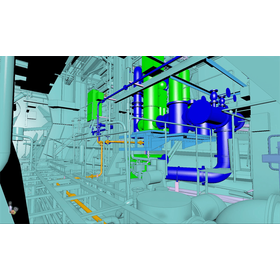
Maintenance management of infrastructure modeled with ClassNK-PEERLESS

Zero oversight of aging. Streamline current status understanding and maintenance management with ClassNK-PEERLESS.

ClassNK-PEERLESS creates piping models from point cloud data, achieving 3D modeling in accordance with design standards. At first glance, deformations such as bulges and dents due to aging are not represented, but by using the error evaluation function, the discrepancies between the point cloud and the model can be visualized with a color map. This enables the identification of areas of deterioration or deformation, aiding in the understanding and maintenance of infrastructure conditions. Furthermore, this error evaluation is compatible not only with models created by ClassNK-PEERLESS but also with comparisons to externally created 3D models. For example, after construction is completed, the point cloud can be overlaid with design data to verify construction accuracy and for inspection purposes. Rather than simply storing point clouds, modeling them contributes to the visualization of routine inspections, maintenance tasks, and construction quality.

  • Modeler
  • Modeling software

Added to bookmarks

Bookmarks list

Bookmark has been removed

Bookmarks list

You can't add any more bookmarks

By registering as a member, you can increase the number of bookmarks you can save and organize them with labels.

Free membership registration

Achieving a digital twin of the factory with ClassNK-PEERLESS.

Achieving a digital twin of the factory with large-scale point cloud modeling "ClassNK-PEERLESS."

ClassNK-PEERLESS is a dedicated software that allows for intuitive and rapid modeling of piping, structures, and machinery within a factory from point cloud data. Even for equipment without existing drawings or complex shapes, 3D models can be created based on point clouds obtained on-site, which can then be directly utilized for layout understanding, renovation design, and interference checks. The created 3D models function as digital twins to share the on-site situation in three dimensions, supporting the establishment of a foundation for maintenance management, improvement considerations, and the transition to smart factories.

  • Modeler
  • Modeling software

Added to bookmarks

Bookmarks list

Bookmark has been removed

Bookmarks list

You can't add any more bookmarks

By registering as a member, you can increase the number of bookmarks you can save and organize them with labels.

Free membership registration

[Case Study of Large-Scale Point Cloud Modeling Software] Ballast Seven Co., Ltd.

The introduction of ClassNK-PEERLESS streamlines the retrofitting design of ships. Expansion into other industries as well!

At Ballast Seven Co., Ltd., which specializes in the design of ship modifications, they conducted designs based on point clouds measured with a 3D laser scanner to accurately grasp the differences between the actual ship and the completed drawings. However, conventional 3D CAD systems could not handle point clouds, resulting in lengthy modeling times. To address this, they introduced "ClassNK-PEERLESS," which excels in automatic modeling of piping and steel materials. By simply selecting a portion of the point cloud, they could automatically generate piping and extend it to the appropriate diameter according to standards, significantly reducing modeling labor. As a result, they completed modeling for 300 shots in less than 80 hours, achieving a short delivery time of about three months from order to completion. Curved structures such as outer plates can now be easily created, and the improvement in model accuracy has proven effective in explaining to customers. The company is also looking to leverage this technology for expansion into land-based fields in the future. [Results of Implementation] - Significant reduction in labor hours due to automatic modeling functions for piping and steel materials. - Completion of modeling for 300 shots in less than 80 hours, achieving short-term engineering within three months. - Promotion of expansion into other industries such as plants by utilizing accumulated 3D modeling technology. For more details, please refer to the PDF.

  • pee19_10.png
  • Modeler
  • Modeling software

Added to bookmarks

Bookmarks list

Bookmark has been removed

Bookmarks list

You can't add any more bookmarks

By registering as a member, you can increase the number of bookmarks you can save and organize them with labels.

Free membership registration

[Case Study of Large-Scale Point Cloud Modeling Software] Nikken Lease Co., Ltd.

Utilizing point cloud data for high-level construction planning! ~Revolutionizing the efficiency of temporary construction with seamless support~

Nikken Lease Industry Co., Ltd., a leading company in the construction materials leasing and rental industry, aims to achieve high-quality construction in terms of safety, cost, and efficiency by providing comprehensive support for the entire process from "point cloud data acquisition → model creation → temporary planning → scaffolding work." Conventional BIM tools could not handle point cloud data, and existing software made it difficult to achieve the intended modeling, resulting in challenging workflows. Therefore, we introduced "ClassNK-PEERLESS," which allows for easy modeling of any subject and quick mastery of operations. By combining manual functions, we enabled detailed modeling even for complex structures, allowing for a level of detailed temporary planning that was previously deemed unattainable. This significantly enhanced customer satisfaction. Currently, we are handling point cloud processing with a small team, but we aim to build a specialized team that can manage this across our nationwide locations and standardize point cloud modeling. [Implementation Results] - Achieved detailed 3D modeling even for complex existing structures, improving the level of temporary planning. Enhanced visual effects as a pre-construction image!

  • pel29_4.png
  • Modeler
  • Modeling software

Added to bookmarks

Bookmarks list

Bookmark has been removed

Bookmarks list

You can't add any more bookmarks

By registering as a member, you can increase the number of bookmarks you can save and organize them with labels.

Free membership registration

[Example] 3D Capture of Underground Electrical Equipment

A case of 3D capture of underground electrical facilities by the Anchorage municipal power company. Achieving fast and reliable 3D capture in narrow spaces.

Anchorage Municipal Light & Power (ML&P) has launched an ambitious program to model all electric substations and underground facilities in its service area in full-color 3D. This includes over 500 facilities, with the goal of creating accurate, comprehensive, and up-to-date 3D data in full color for each site. For more details, please download the materials.

  • Other electronic measuring instruments
  • Modeling software

Added to bookmarks

Bookmarks list

Bookmark has been removed

Bookmarks list

You can't add any more bookmarks

By registering as a member, you can increase the number of bookmarks you can save and organize them with labels.

Free membership registration

Virtual construction site space with digital twin solutions for construction sites.

By combining 3D laser scanning measurements with 4K + 3D imaging, a virtual site model space is created!

By combining two technologies, it is possible to create a virtual site model space. 【3D Laser Scanner Measurement Features】 ■ Dimension Measurement Using point cloud data, dimension measurements can be taken on a PC. Since pipe diameters can also be measured, there is no need to visit the site multiple times. ■ Modeling 3D modeling of structures, pipes, ducts, equipment, racks, and steel materials is performed from point clouds. We respond quickly using the automatic pipe modeling function. ■ Construction Drawings Construction drawings for air conditioning and sanitation are created from the modeling data. Even without existing drawings, they can be used as highly accurate construction drawings. 【4K + 3D Shooting】 ■ On-site Survey You can freely walk through the 3D modeled building and check every corner. Since shooting is also possible within the model, it significantly reduces the time spent on-site. ■ Recording Taking advantage of the short shooting time, it is also possible to record each process as documentation. High-quality data can be used for various materials such as completion documents. ■ Meetings No app is required, and access is possible from smartphones and tablets. Sharing the 3D model for meetings leads to improved work efficiency.

  • 3D measuring device
  • Modeling software

Added to bookmarks

Bookmarks list

Bookmark has been removed

Bookmarks list

You can't add any more bookmarks

By registering as a member, you can increase the number of bookmarks you can save and organize them with labels.

Free membership registration